Photography, crop, and the product grid
A product grid looks finished when the crop and the background stay consistent. Mixed crops make a shop look unfinished faster than a new typeface will repair.
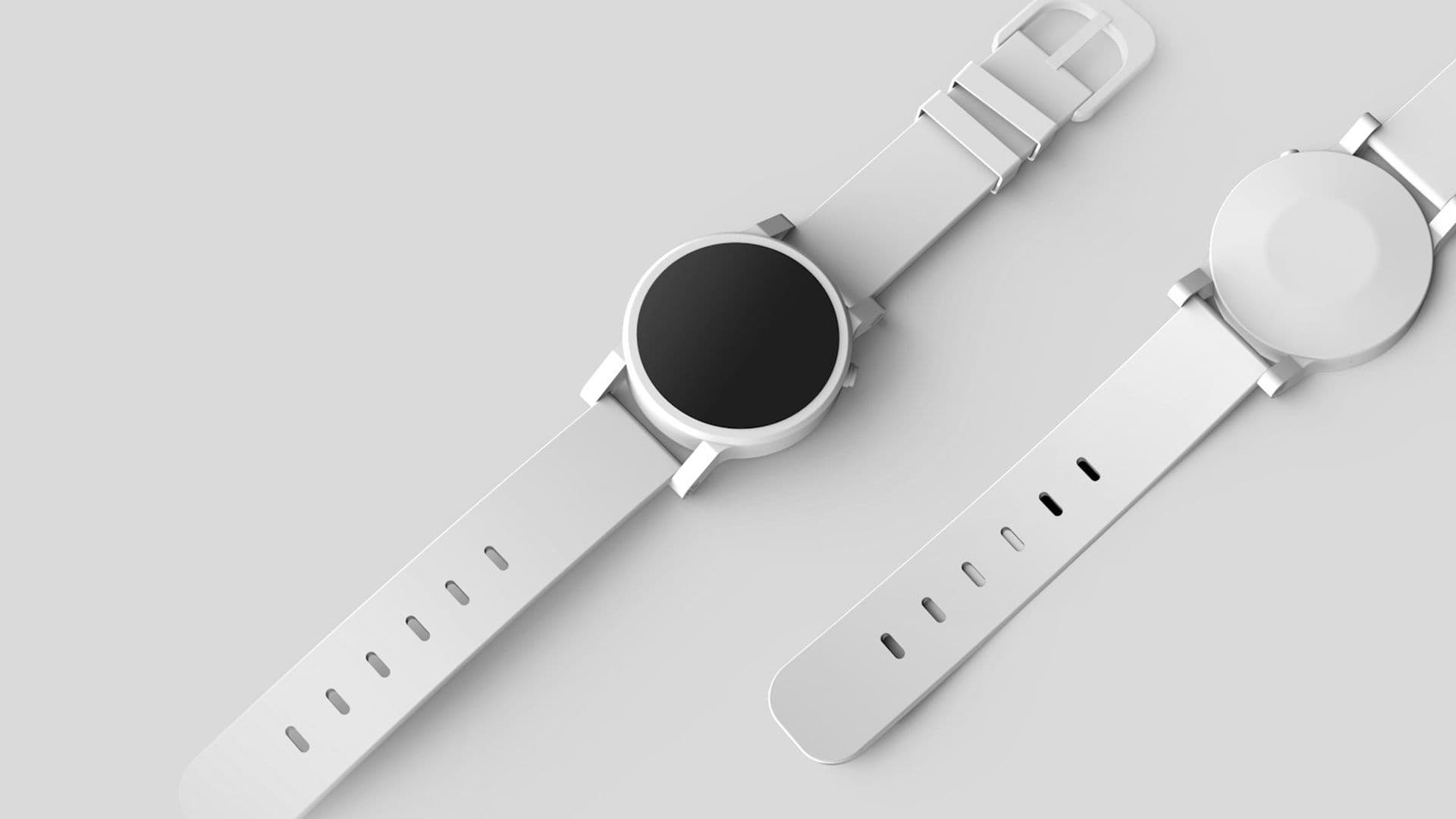
Ecommerce product photography layout is mostly a repeated crop and a repeated background. A new font will not rescue a grid where every object sits in a different place, at a different scale, on a different ground.
The grid is the shop seen all at once. People compare with their eyes before they compare with the copy. If the frames disagree, the collection looks unfinished even when each photo, opened alone, is handsome. Consistency is the layout.
One crop, one background
Choose the frame before you book the shoot. One aspect ratio for every tile. The object occupies the same region of that frame, with a margin you can name: the product fills the middle, and the same amount of ground shows on each side. A watch face and the back of the same watch should feel like two views of one object, not two ads that happen to share a brand.
The background is a decision, not a leftover. A plain light ground is enough for many brands. A darker ground is enough for others. What fails is alternation: white, then a kitchen, then a color sweep, then a hand. The eye reads the change of background as a change of importance. The product that got the lifestyle frame looks like the hero. The product on the sweep looks like a leftover.
Write the rule down where the next photo will be made. Ratio, background, where the object sits, and whether a shadow is allowed. A rule of four lines will be used. A mood board with no crop marked on it will be interpreted differently by every person who opens it.
If you already have a pile of mismatched files, do not wait for a reshoot to fix the grid. Recrop what you can to the shared ratio, and replace the worst backgrounds first. A consistent imperfect set looks more like a shop than a perfect photo sitting next to a snapshot.
How mixed crops read as unfinished

Put three products in a row and the defects become obvious.
- One object is tight, the next has a wide margin, so the prices do not line up with the things they describe.
- One photo includes a human hand, so that tile has skin tone and the others do not. The hand wins the row.
- One photo is a portrait and the next is a landscape forced into the same box, so the second object is sliced or letterboxed.
- Shadows fall in different directions, so the row never sits on one surface.
None of these is a type problem. Changing the font leaves the row looking assembled from different suppliers. Shoppers may not say “the crop is inconsistent.” They say the site feels unfinished, or they trust the product with the cleaner frame and skip the rest.
Scale is part of crop. A small object and a large one can share a grid, but they should not be photographed so that each one fills the frame by a different rule. If a ring fills the tile the way a coat does, the ring looks huge and the coat looks like a detail. Decide whether the grid shows objects at true relative scale or each object as its own portrait. Then keep that decision. Mixing them in one row is the unfinished look.
Labels and badges sit on top of this. A “new” mark in the corner is fine if it occupies the same corner every time and does not cover the object. A badge that moves, or that covers the only interesting part of a tight crop, means the crop and the interface were designed apart.
The grid before the product page
The grid’s job is recognition and comparison. The product page’s job is explanation. Those jobs want related pictures, not identical art direction by accident.
On the grid, use the clean view: the object, the shared ground, the shared crop. On the product page, the first image should be that same view, so the tap does not feel like a different product. Later images can move closer, show the back, or show the object in a real setting. The setting photos still obey the brand: the same light, a limited set of places, no surprise palette.
Wabisabi, a public brand site with a calm, tactile visual world, is a useful reminder that direction is a set of refusals. You decide what you will not show. For a shop, the refusal is often clutter, mixed grounds, and a crop that changes to make one product louder. Thomas Bewick’s editorial site is a different kind of craft, and the same discipline applies: the pictures should feel like one body of work.
Order the row on purpose. Lead with the clearest object, not the photo you like from the shoot. If a product is sold out, keep its tile in the same crop and say so on the tile. Removing it, or swapping in a leftover snapshot, breaks the rhythm people use to scan.
Type stays quiet

Type in a grid has three jobs: the name, the price, and sometimes one fact such as a material or a size range. Set them in the same place on every tile. If the name wraps to two lines, every name should be allowed two lines, or the short names will make the row jump.
Resist a second typeface to “elevate” a weak photo. The elevation people notice is the object sitting cleanly in the frame. A display face on a messy crop looks like a poster pasted over a problem. Keep the type you use on the rest of the site. The grid is not a campaign. It is the catalog.
Color of type follows the same rule as the background. Dark text on a light ground, or light text on a dark ground, chosen because the photo system already made that ground. Do not put white type on a photograph that is sometimes light and sometimes dark. It will fail on half the row.
Prices should be plain. If two products use different currency formats, or one shows a compare-at price and the next does not with no rule, the grid becomes a bargain bin even when the brand is not. Decide the price pattern once.
Alt text names the object
Every product image needs a text alternative. The W3C’s Web Content Accessibility Guidelines put this under a simple idea: non-text content should have a text alternative so people can perceive it. For a grid, that alternative is the object and the view. “Ceramic cup, matte white, front” is useful. “Shop our story” is not. Decorative marks that add nothing can be hidden from assistive technology. The product photo is not decorative.
Write the alt with the crop in mind. If the frame shows only the clasp, say so. A person who cannot see the image should not have to guess which view they would be buying from. The visible caption can be shorter. The alt should be specific.
This is also how you check the system. If you cannot describe the frame in a few words that match the neighboring frames, the crops have drifted. “Front on gray” should be true of the whole row.
A small system for the next upload
Leave the team a one-page note.
- Ratio and the safe area where the object sits.
- Background color or material.
- Light direction, in a sentence.
- File size and the filename pattern, so the grid does not fill with
final-v7. - Alt text pattern: product, color, view.
- What you will not add: hands, extra props, a new background for a launch.
When a launch truly needs a different picture, make it a story on the product page or a single featured frame, and keep the catalog row intact. One exception, labeled as a feature, reads as intention. A row of exceptions reads as a folder of downloads.
Direction for pictures outside the catalog, including illustration, is a wider decision. The companion piece is photography and illustration direction for a young brand.
To see grids and brand sites that hold a visual idea together, look at Hanabi’s selected work. The test is the same one this piece uses: cover the logo and see whether the objects still belong to one shop.
Frequently asked questions
What crop should a product grid use?
Pick one aspect ratio and put the object in the same region of every frame, with the same margin. Use that ratio for the whole grid, including sold-out pieces. A single hero image can be wider on the product page, as long as the grid thumbnail is cut from the same system.
Do all product photos need the same background?
Yes for the grid. A shared background, even a plain one, makes different objects read as one shop. Lifestyle photos can live on the product page, after the clean view, if they follow the same color and crop rules. Mixing both in one row makes the catalog look unfinished.
What should alt text say on a product image?
Name the object and the view: the product, the color, and whether the frame shows the front, the back, or a detail. The W3C’s guidance is that non-text content needs a text alternative. Skip the slogan. A shopper using a screen reader needs the object, not a mood.
Sources and further reading
Written by
Hanabi
Hanabi is a product design and web development studio. The studio writes about clear websites, brand systems, and product interfaces for founders.